











Your YouTube Channel Dashboard: Real Stats, Clear Next Steps
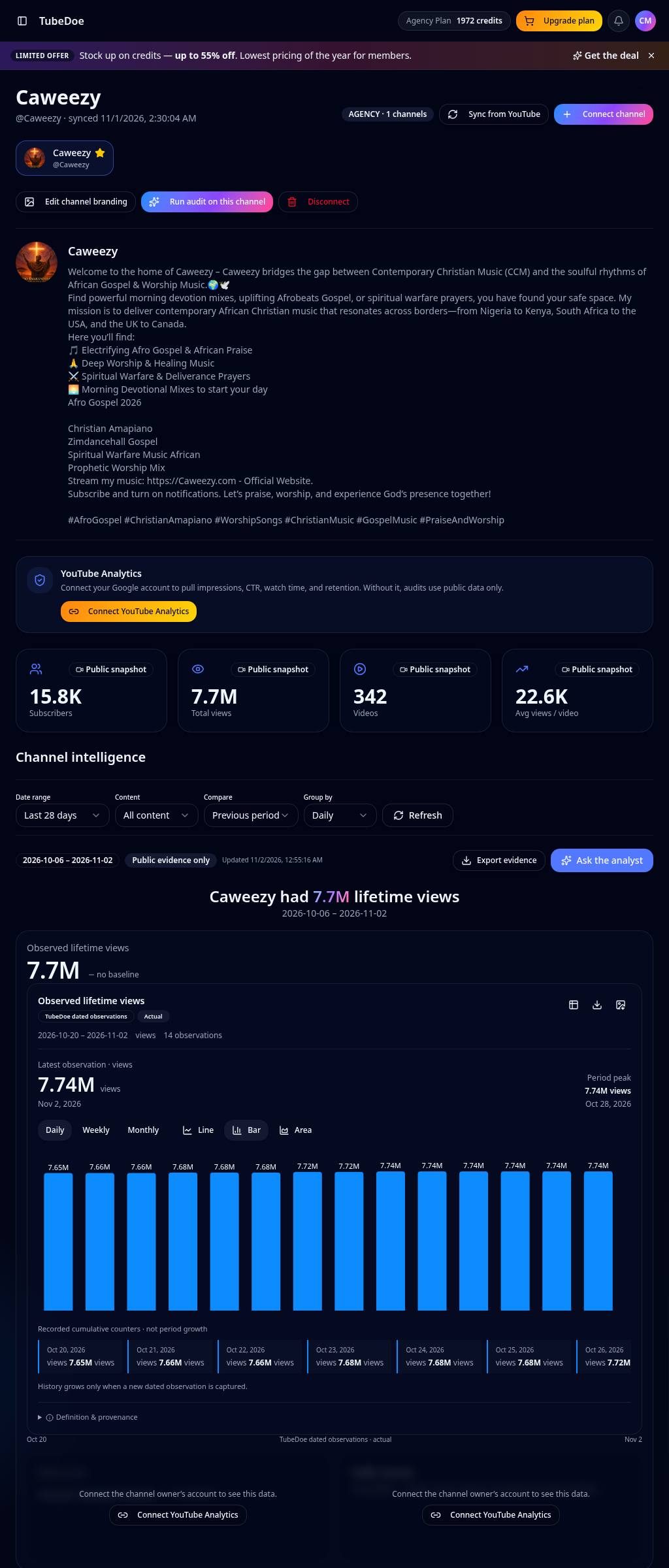
One place for your channel: total views and subscribers, every synced video with its SEO score, and period charts that only show what was actually recorded.
No credit card required · 5 free starter credits
Why creators use the YouTube Channel Dashboard
Every video synced
Your uploads load with views, likes, length and an SEO score.
Honest charts
Daily, weekly and monthly points from real observations — no invented history.
Private metrics optional
Connect YouTube Analytics read-only to unlock watch time and CTR.
Jump to fixes
Open any video in the Video Optimizer straight from the dashboard.
How to use the YouTube Channel Dashboard
- 1
Sign in with Google
Pick your channel; access is read-only.
- 2
Sync videos
Uploads and public stats load automatically.
- 3
Act on scores
Sort by weakest SEO and fix those videos first.
YouTube Channel Dashboard FAQ
Can TubeDoe change my videos?
No. YouTube access is read-only; edits are copied into YouTube Studio by you.
Why are some charts locked?
Private metrics such as watch time need YouTube Analytics access, which you can connect at any time.
Is the dashboard free?
Yes, the dashboard and video sync are free on every plan.
Related YouTube tools
YouTube Video Optimizer
Find your weakest YouTube videos by SEO score and fix them. Get better titles, descriptions and tags to copy into YouTube Studio and revive old uploads.
YouTube Milestone Tracker
Track YouTube view and subscriber milestones automatically. Get a branded email and a shareable milestone card when your channel hits 1K, 10K, 1M and beyond.
YouTube Channel Audit & Growth Coach
Run a free YouTube channel audit. Get a scored checklist for titles, thumbnails, SEO, upload rhythm and outliers, then ask the Growth Coach what to do next.
Start growing your channel today
Join thousands of creators using TubeDoe to plan, create and rank faster.