How to Use the YouTube Creator Tools: Step-by-Step Tutorial
Your TubeDoe home is a launchpad: research a keyword, generate a thumbnail and write your script in one flow, with your credits and plan always visible.
1Create your account
Sign up free and you land on your home with your credits and the idea-to-upload flow.
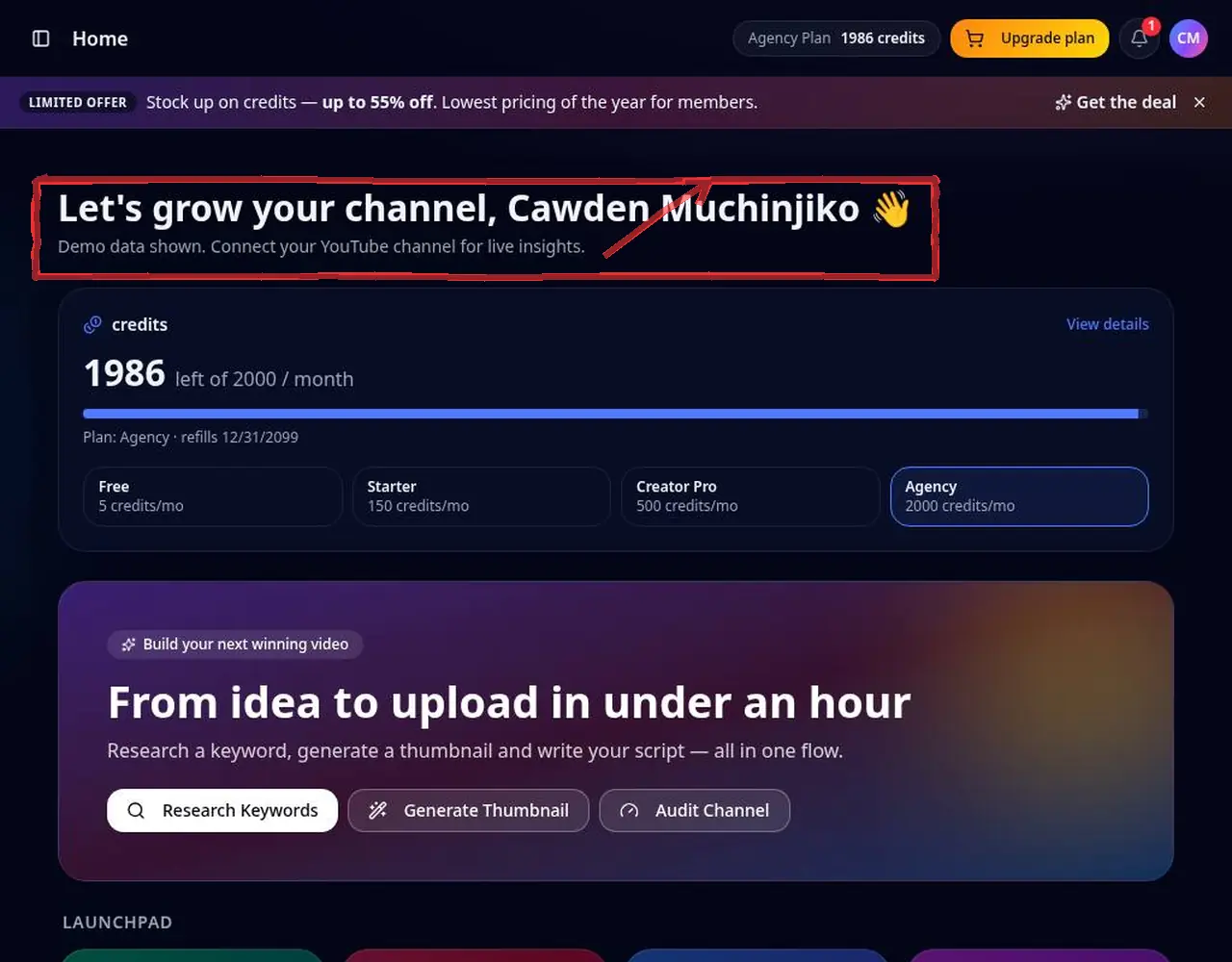 1: Create your account
Step 1 — Create your account 2Check plan and credits
Your plan, credit balance and quick actions show at the top so you always know what you can run.
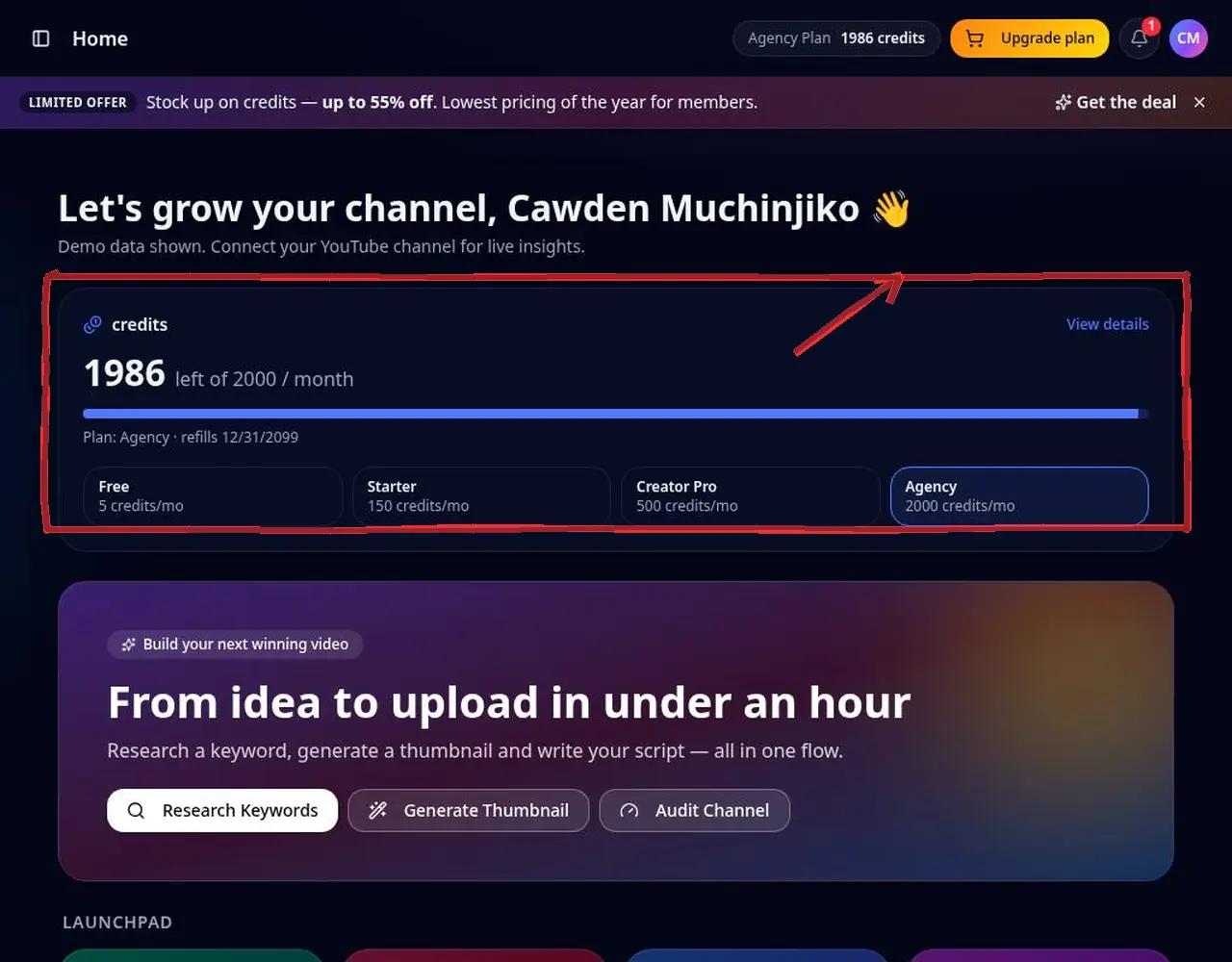 2: Check plan and credits
Step 2 — Check plan and credits 3Pick a tool from the Launchpad
Choose Keyword Research, Thumbnail Studio, Script Writer and more — or use the sidebar.
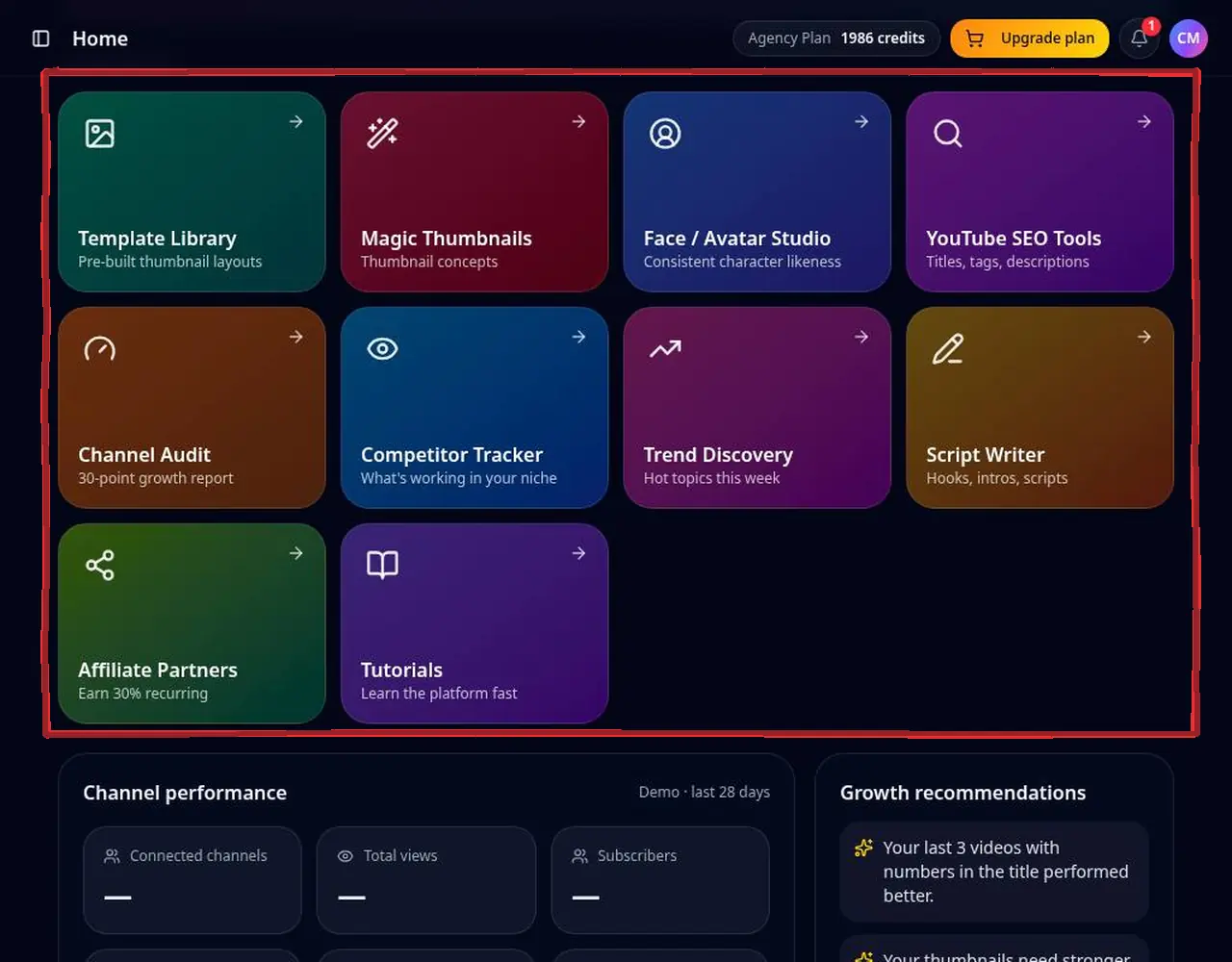 3: Pick a tool from the Launchpad
Step 3 — Pick a tool from the Launchpad 4Follow the idea-to-upload flow
Research a keyword → generate a title → make a thumbnail → write the script, then copy everything into YouTube Studio.
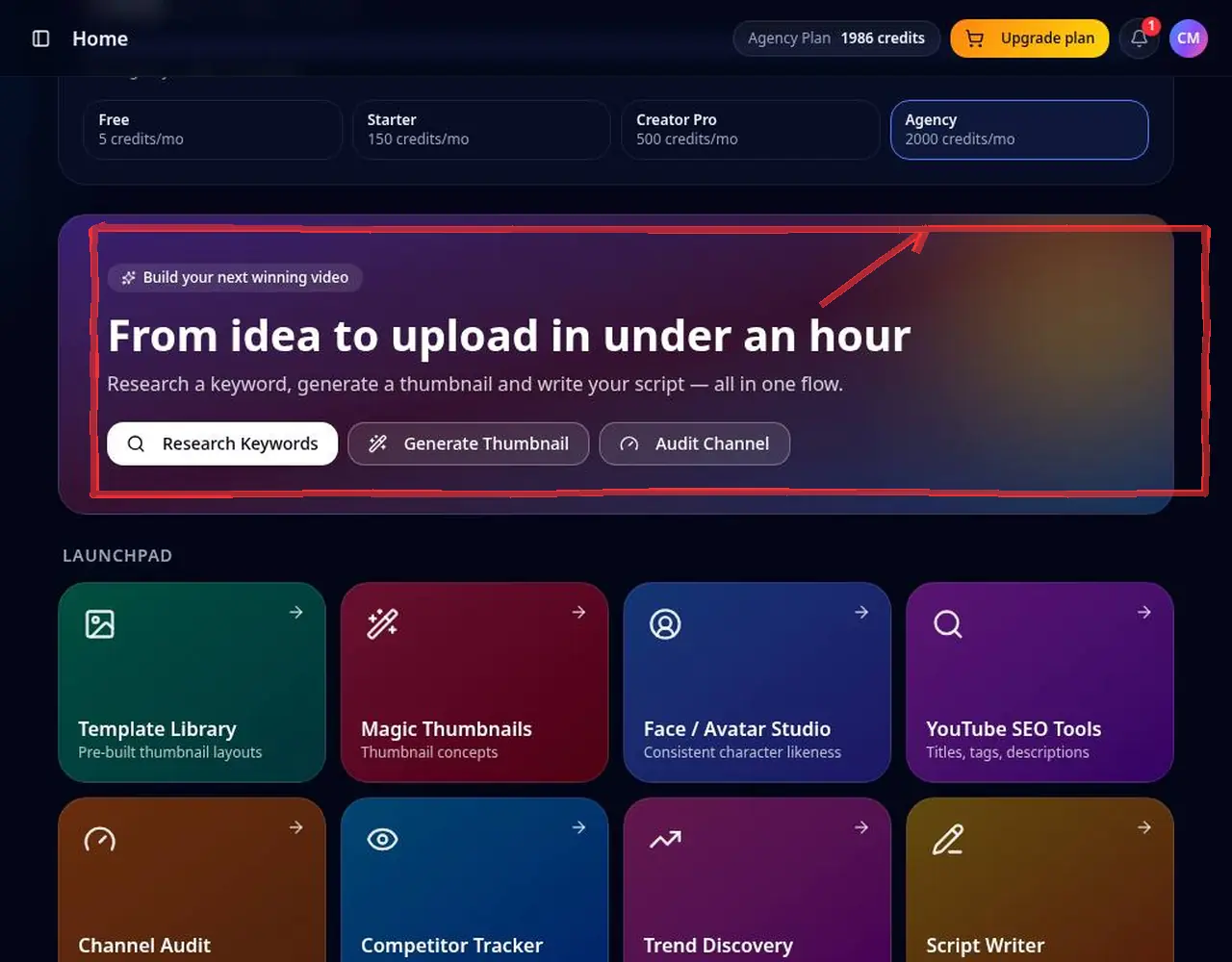 4: Follow the idea-to-upload flow
Step 4 — Follow the idea-to-upload flow
Pro tips
- Use the free tools for quick research without spending credits.
YouTube Creator Tools FAQ
Are there free YouTube tools?
Yes. The thumbnail downloader, tag extractor, title & description extractor and profile picture & banner downloader are free without signing in.
Do I need a paid plan?
No. Start free with 5 credits and upgrade only if you need more.
Does it work for Shorts?
Yes. Thumbnails, titles and scripts all support Shorts.
What happens when I run out of credits?
Paid plans can buy a credit pack and continue the paused task; free accounts can upgrade on the pricing page.