How to Use the YouTube Thumbnail Studio: Step-by-Step Tutorial
Describe your video, add a photo of yourself or a reference, and Thumbnail Studio creates bold, readable YouTube thumbnails at the exact 1280×720 size — plus vertical sizes for Shorts.
1Describe your video in the prompt box
Open Thumbnail Studio. Type the topic, the 2–4 word hook you want on the image, and the mood (e.g. “shocked face, red arrow, bold yellow text”).
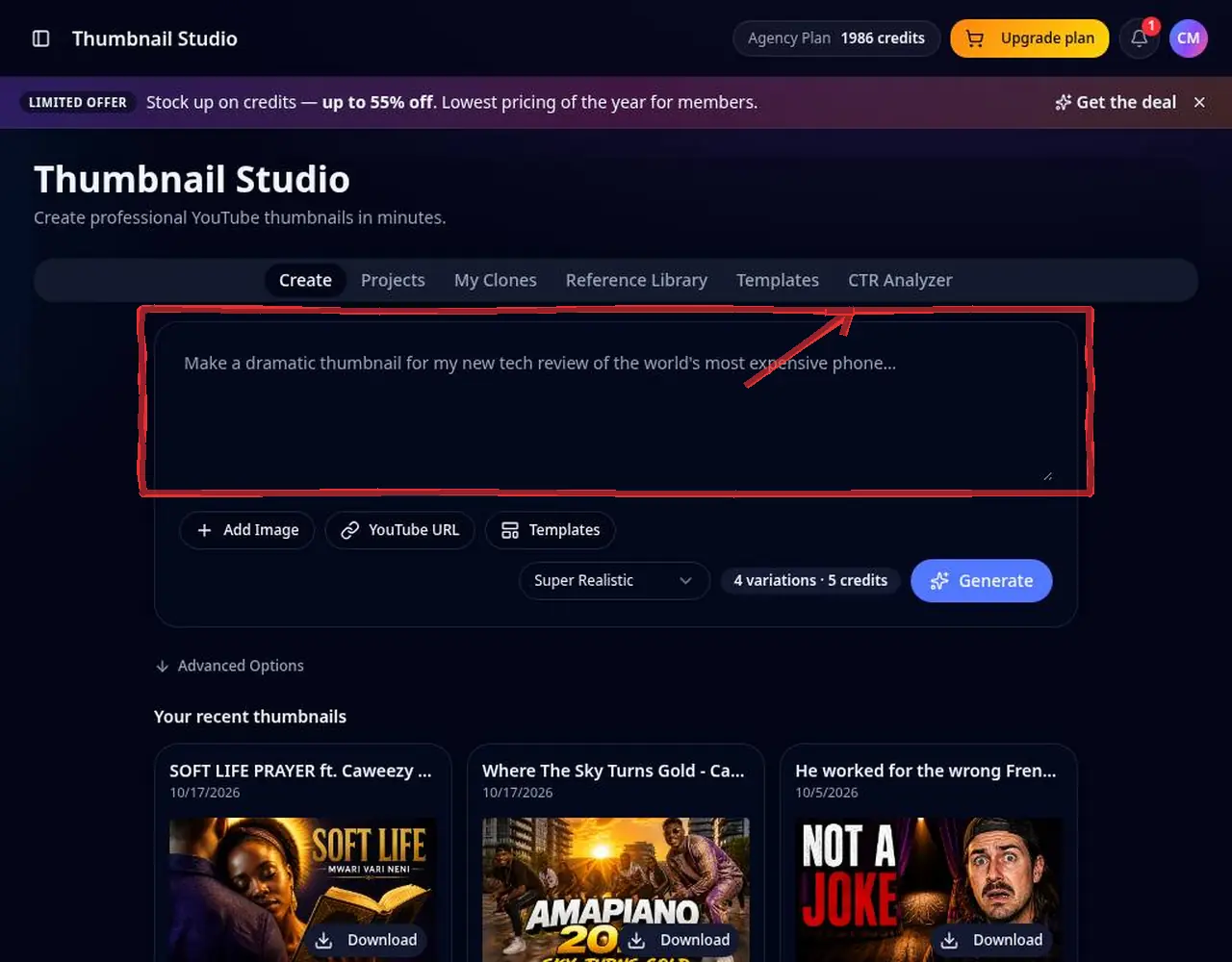 1: Describe your video in the prompt box
Step 1 — Describe your video in the prompt box 2Pick style and size
Choose a visual style. The default size is YouTube's recommended 1280×720 (16:9); switch to vertical for Shorts.
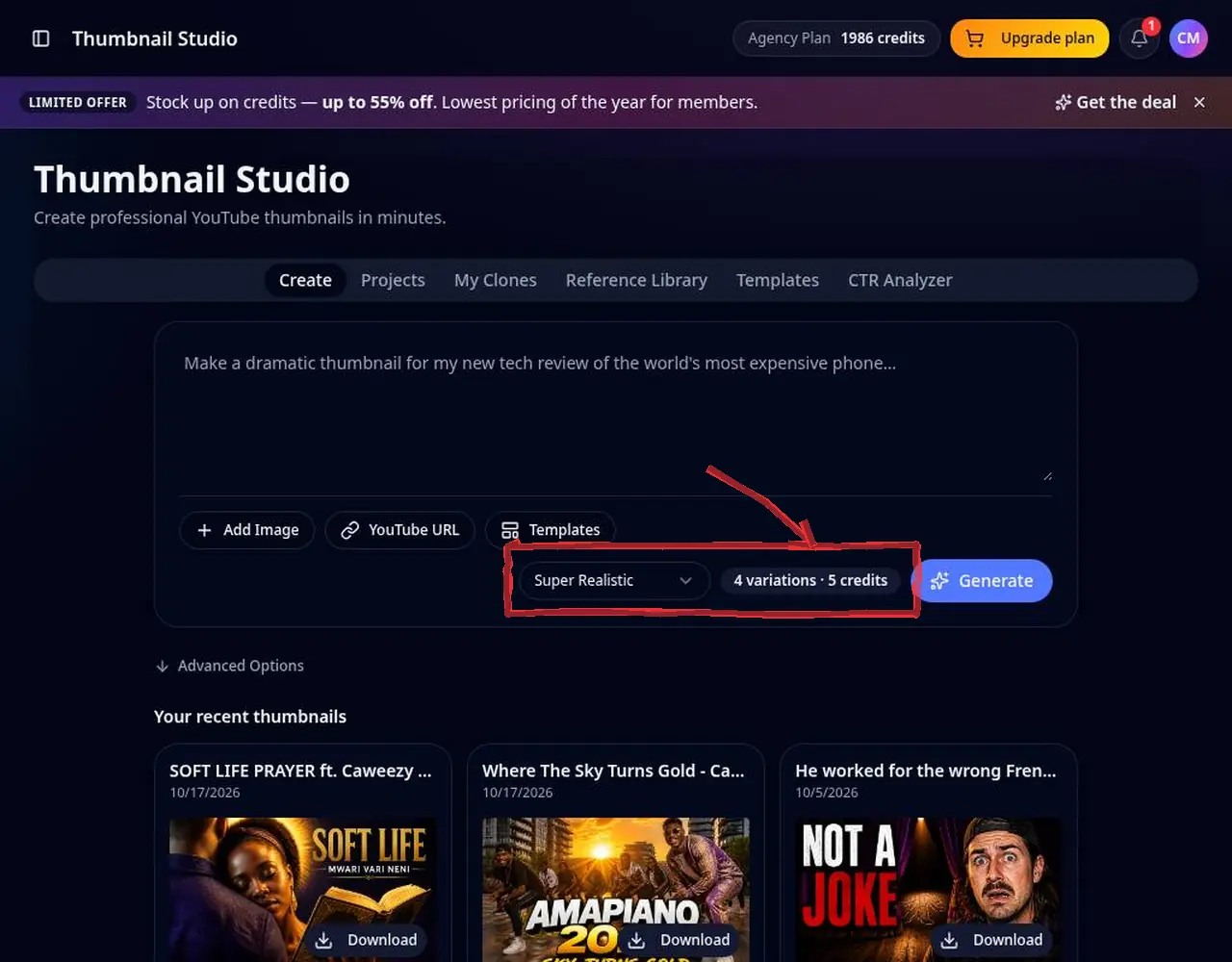 2: Pick style and size
Step 2 — Pick style and size 3Add references
Upload a selfie so the thumbnail keeps your likeness, a product shot, or a thumbnail you like. Grab any video's thumbnail with the free YouTube Thumbnail Downloader.
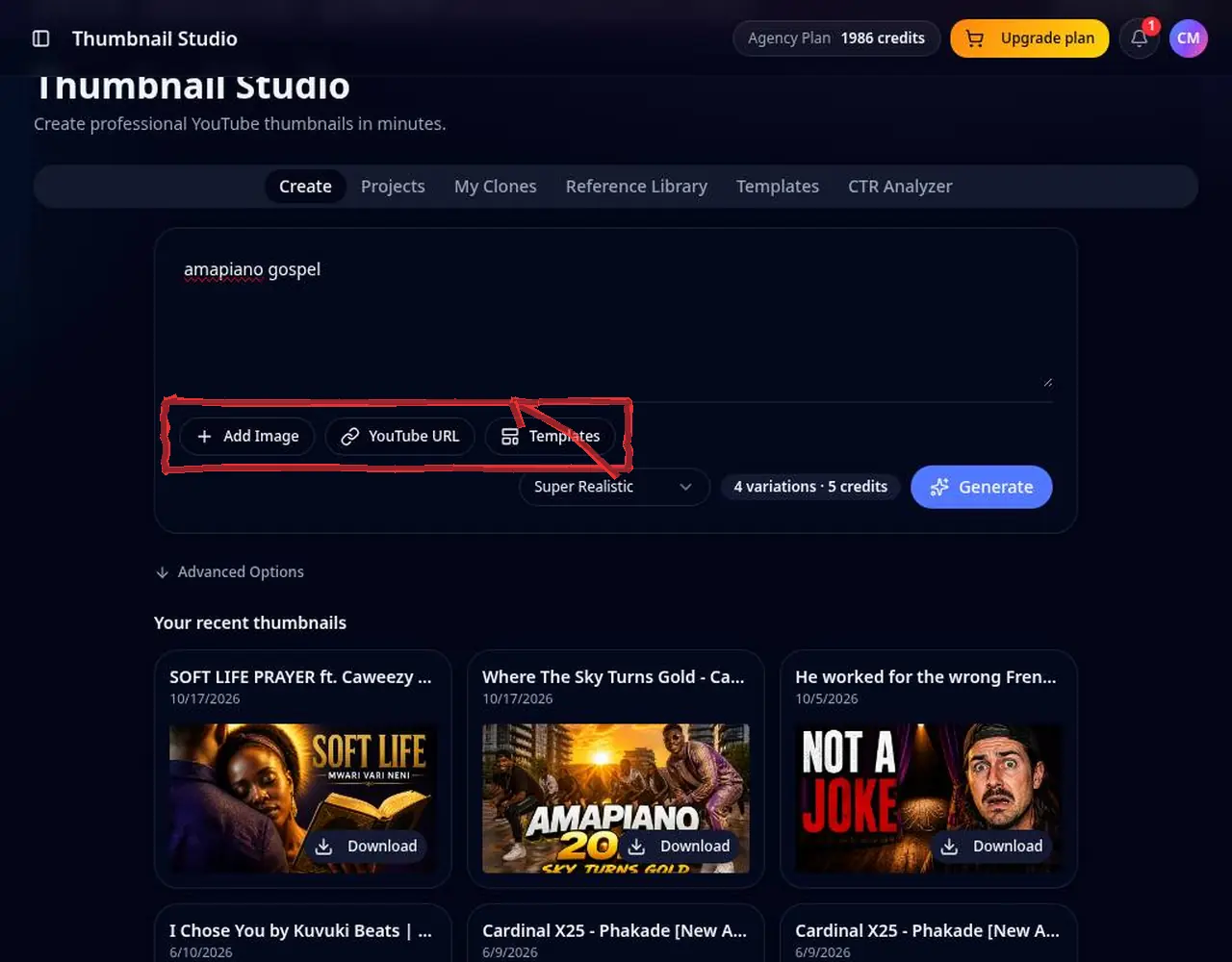 3: Add references
Step 3 — Add references 4Generate variations
Press generate and compare the variations. Edit with a short instruction (e.g. “make the text bigger”) instead of starting over.
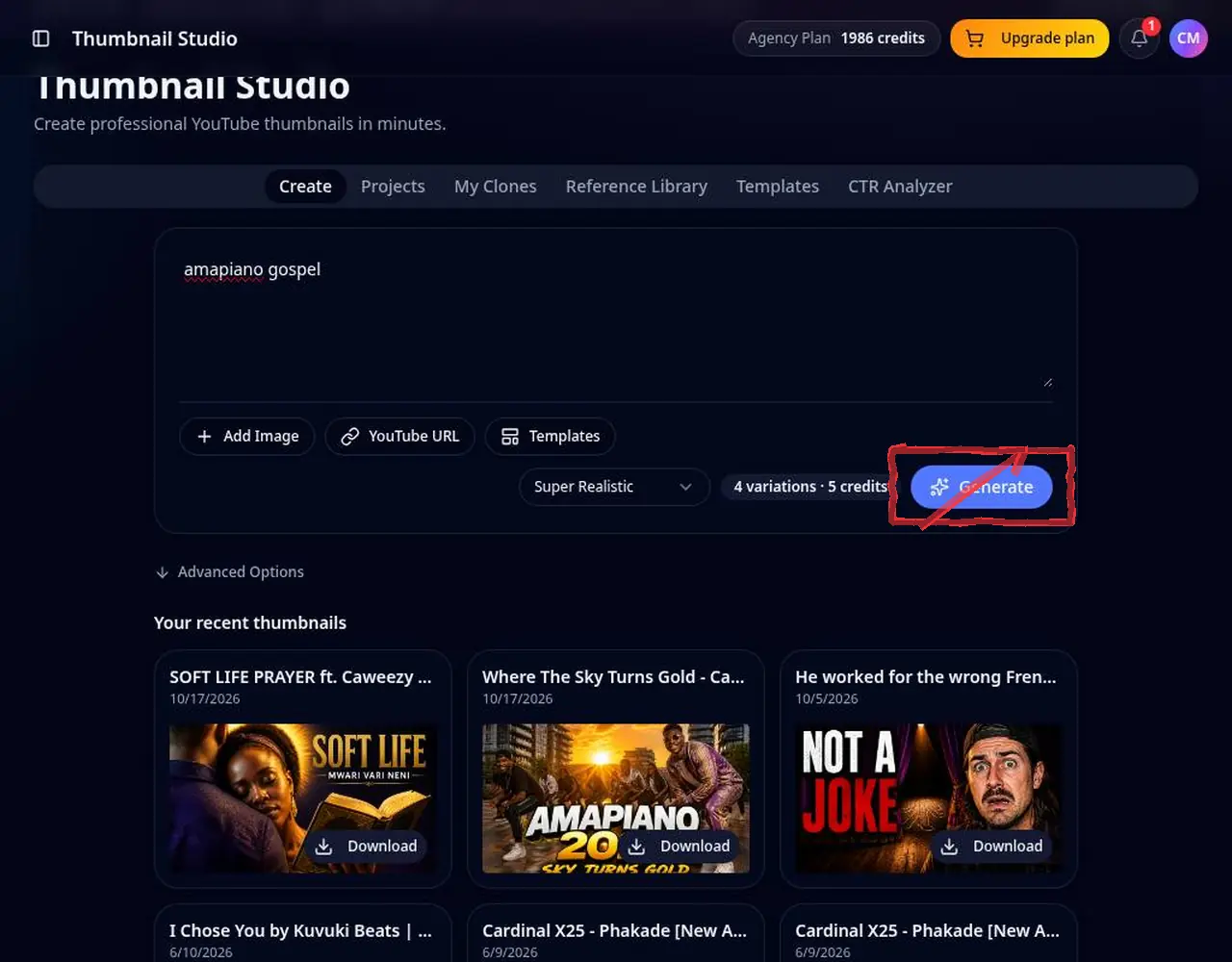 4: Generate variations
Step 4 — Generate variations 5Download and upload
Pick the strongest one, download it and upload it in YouTube Studio under Thumbnail. Past thumbnails stay in your history.
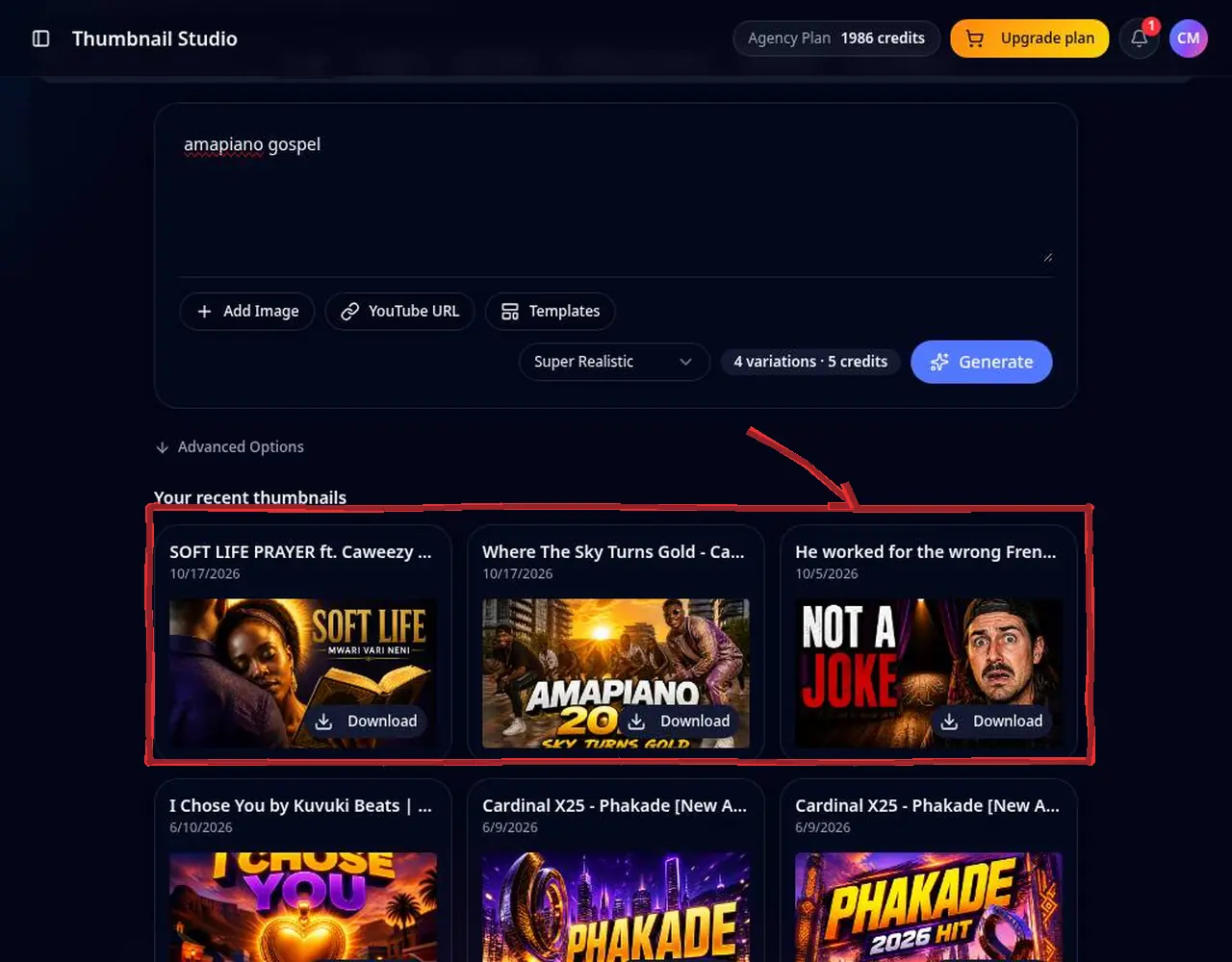 5: Download and upload
Step 5 — Download and upload
Pro tips
- Keep on-image text under 5 words — it must read on a phone.
- Use one clear face and one focal object.
- Match your title, don't repeat it word for word.
Mistakes to avoid
- Tiny text that disappears on mobile.
- Uploading the wrong aspect ratio — Shorts and long-form need different sizes.
YouTube Thumbnail Studio FAQ
What size are YouTube thumbnails?
YouTube recommends 1280×720 pixels (16:9). Thumbnail Studio exports that size by default.
Can I put my own face in the thumbnail?
Yes. Upload a reference photo and it is used to match your look.
Can I download a competitor's thumbnail for reference?
Use the free YouTube Thumbnail Downloader, then add it as a reference image.
What file size does YouTube allow for thumbnails?
YouTube accepts JPG, PNG or GIF thumbnails up to 2 MB, recommended at 1280×720.
Can I use templates?
Yes. Browse the template library and use any template as inspiration for your prompt.