How to Use the YouTube Trend Discovery: Step-by-Step Tutorial
Pick your niche and region to see what is popular on YouTube right now, rising searches from public sources and ideas you can turn into your next video.
Time: 3 minutes
Cost: Browsing is free; optional reports use credits
You need: A free TubeDoe account
1Enter your niche and region
Open YouTube Trend Discovery, type a niche like “gospel music” and choose a country.
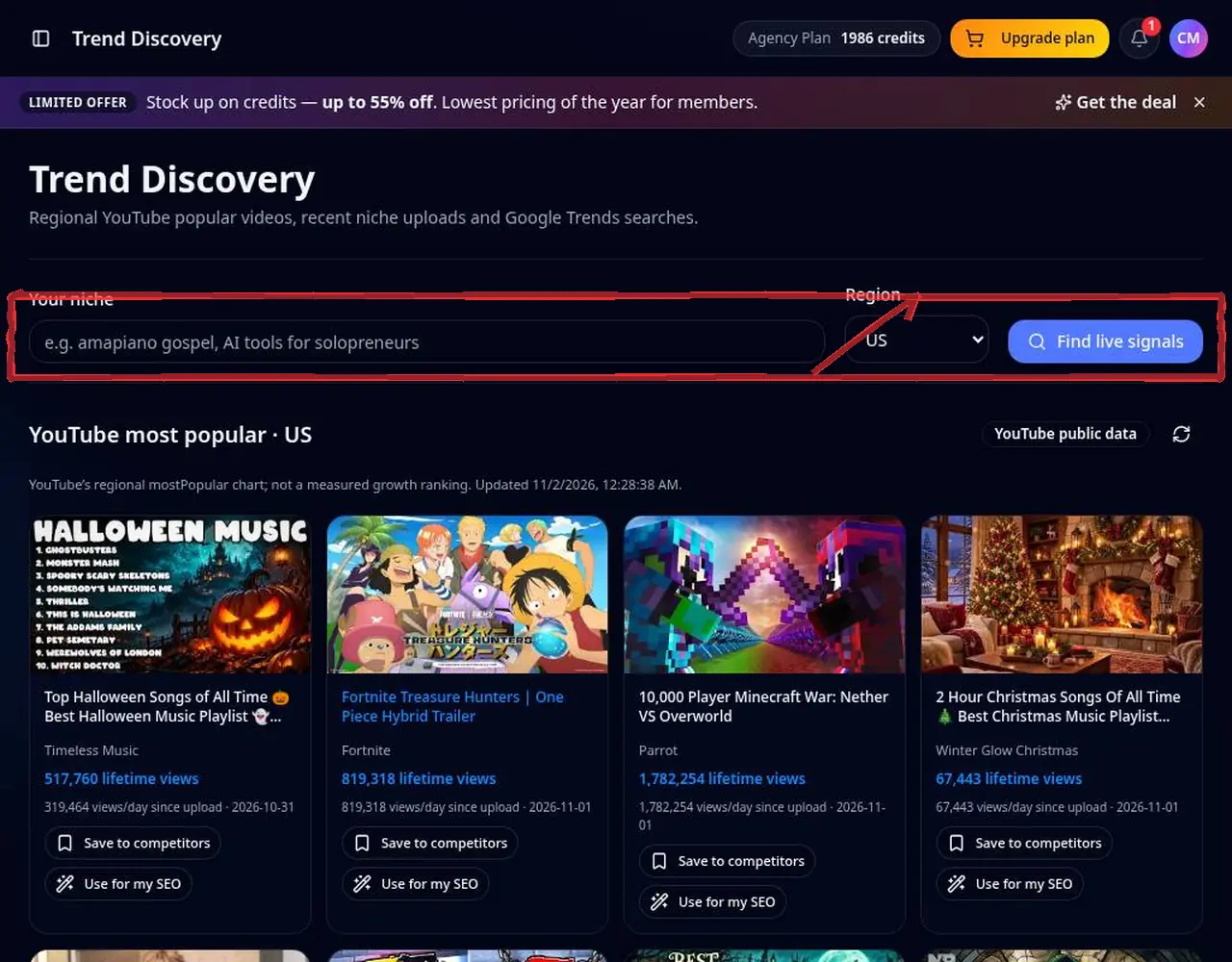 1: Enter your niche and region
Step 1 — Enter your niche and region 2Browse what's popular now
See the current most-popular videos for that region, with sources labelled.
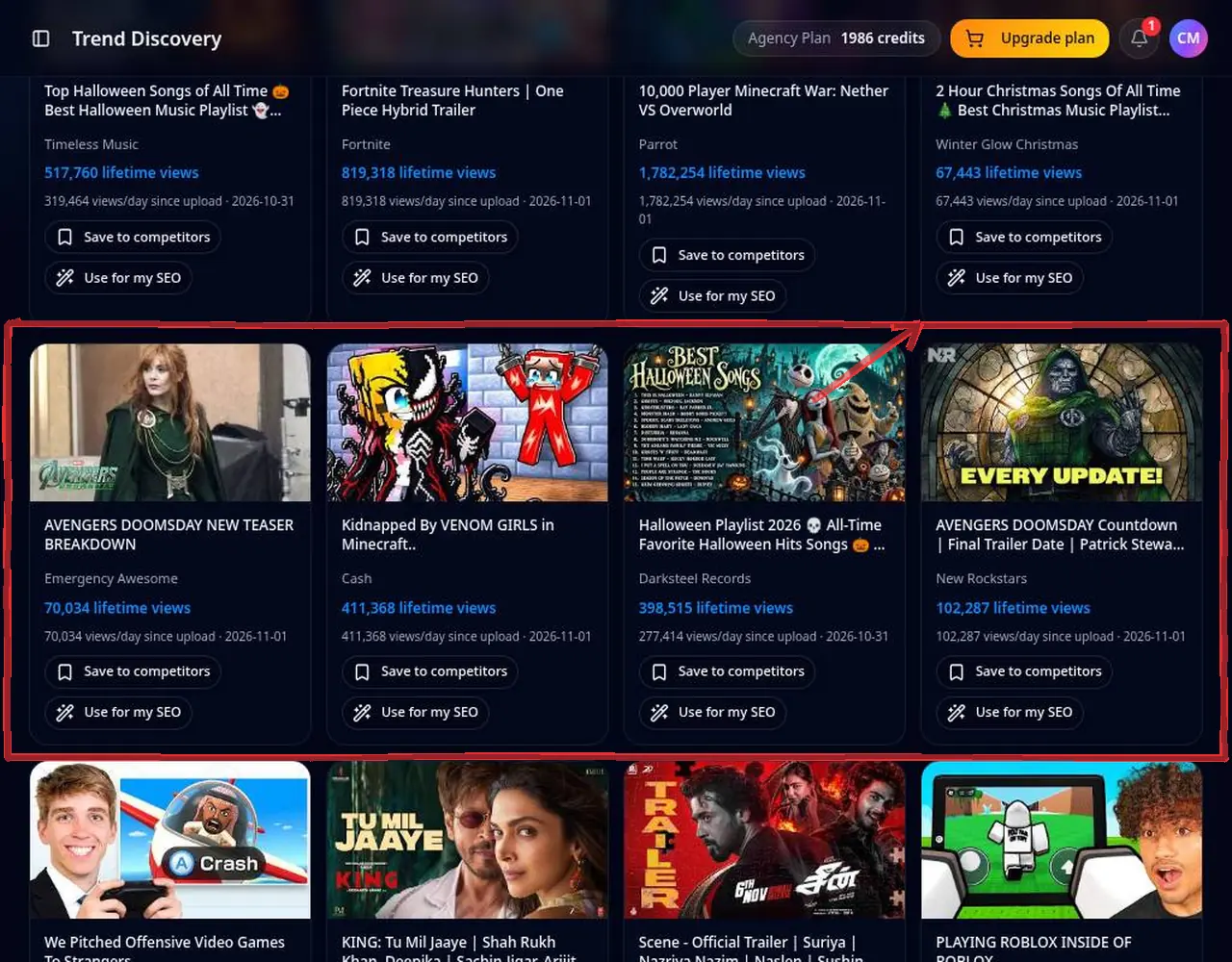 2: Browse what's popular now
Step 2 — Browse what's popular now 3Save or use a trend
Save a trending channel to the Competitor Tracker, or take the topic to the Title Generator or Thumbnail Studio.
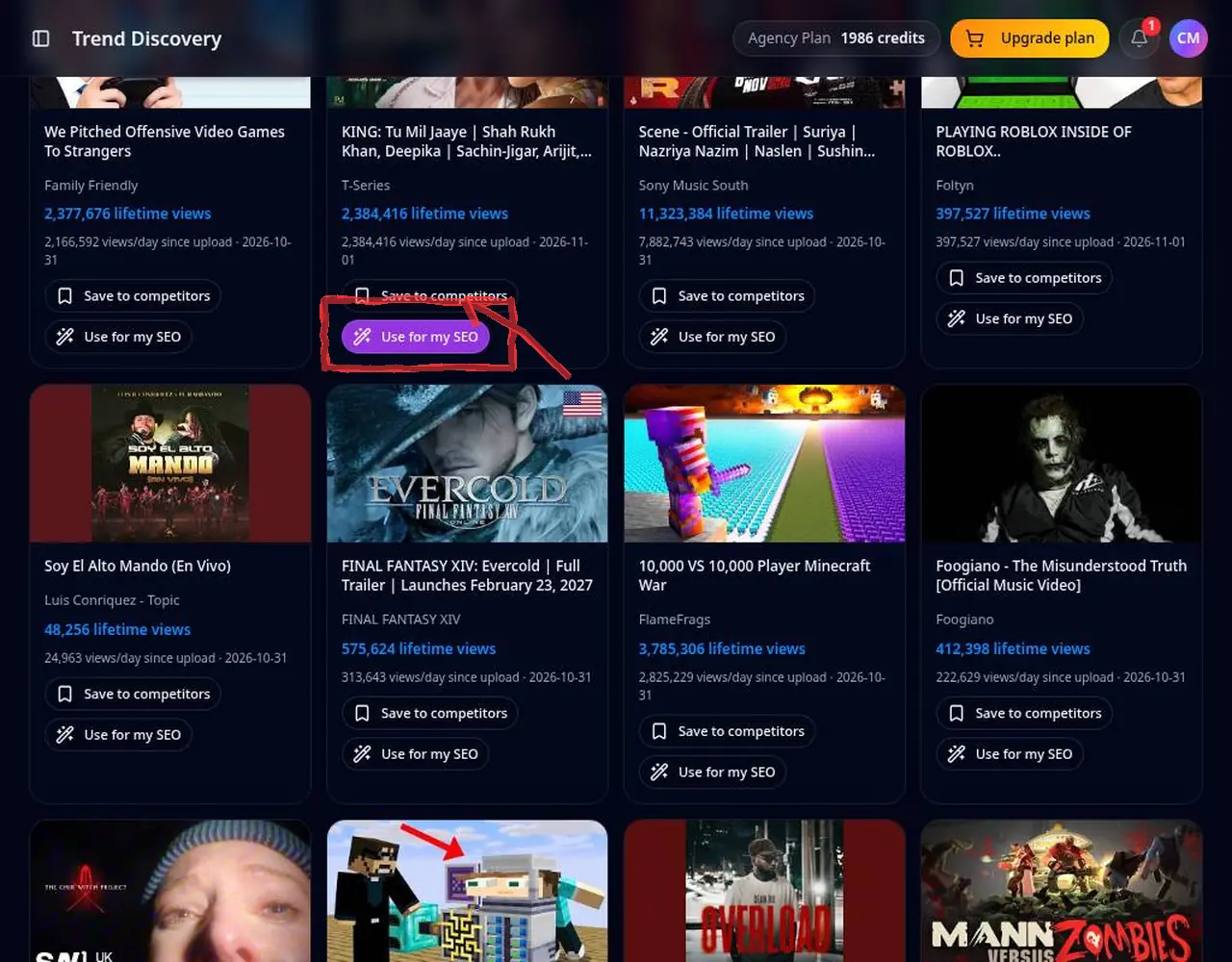 3: Save or use a trend
Step 3 — Save or use a trend
Pro tips
- Move fast — trends are worth most in the first few days.
Mistakes to avoid
- Reading popularity as search volume — check volume in YouTube Keyword Research.
YouTube Trend Discovery FAQ
Where do trends come from?
Public YouTube most-popular charts and public search trend sources, labelled on the page.
Is this YouTube search volume?
No. Trends show popularity, not search volume — use Keyword Research for volume.
How often does it update?
Each search fetches current public data.
Can I see trends for Shorts?
Trending lists include popular videos of all formats; filter by your niche to find relevant ones.